
Step 1: Complete initial accumulation
Drag beef slices, lettuce, and fish cakes from the conveyor belt into the red pot, green pot, and white/orange pot respectively.
Ingredient icons shrink into the pot and start steaming.
Complete video walkthrough and expert strategies to beat Level 25
This is a Easy level that typically takes 2-3 min to complete.
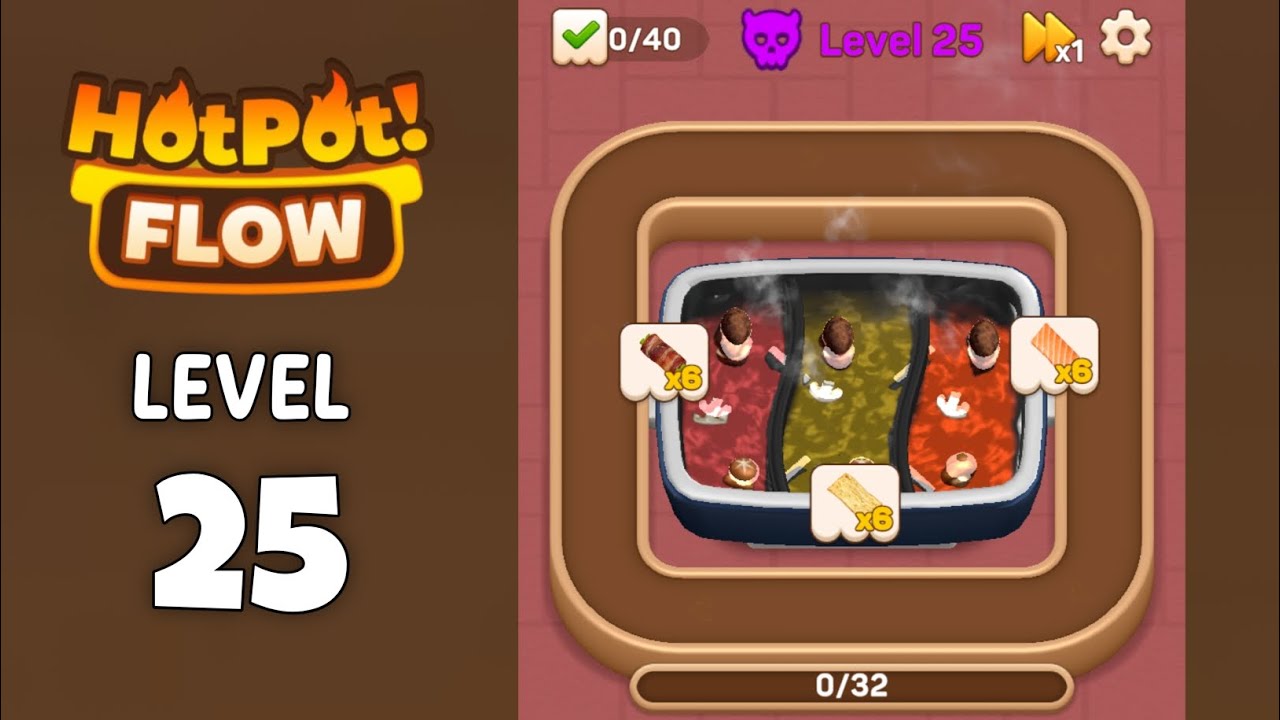
Watch this complete walkthrough to see the exact solution for Level 25. Follow along step-by-step to master this level!
Level 25 focuses on properly distributing ingredients across red, green, and white hotpot broths, while quickly clearing conveyor belt buildup during Fever mode.
| Time | Scene | Action | Common Error | Confidence |
|---|---|---|---|---|
| 00:00 | Level initialization showing 40 target score and three hotpot sections (red, green, orange broth). | Observe the ingredient order on the conveyor belt below and prepare to sort by color. | Clicking too quickly at the start causes ingredients to be placed in the wrong broth color. | 95% |
| 00:39 | Triggers 'Let's Fever!' status. | Enter frenzy mode, ignore color restrictions and rapidly tap the screen to clear all ingredients. | Slow reaction wastes the automatic clearing effect during Fever. | 90% |
| 03:27 | Screen center displays 'No Space!' warning. | Immediately stop adding new ingredients, prioritize clicking the packaged dishes below to free up space. | Continuing to add ingredients to the pot leads to a deadlock. | 100% |
| 04:57 | Achieved 40/40 target, displays 'Well done!'. | Click Claim to collect rewards. | null | 100% |
Drag beef slices, lettuce, and fish cakes from the conveyor belt into the red pot, green pot, and white/orange pot respectively.
Ingredient icons shrink into the pot and start steaming.
When ingredients in the pot are cooked and show golden glow effect, tap that ingredient. If the serving slots below are full, tap the finished dishes in the slots to serve them.
Lower slots change from full to empty, and 'No Space' message no longer appears.
When Fever activates, tap all visible ingredients as fast as possible.
Score bar rises rapidly, conveyor belt completely clears.
Ingredient misplacement: putting meat rolls into the green vegetable pot.
Fix: Misplaced ingredients occupy pot space but cannot cook, need to wait until level ends or use specific items to clear.
Evidence Time: 01:15
Inventory backlog: not clicking finished dishes in time prevents collecting from pot.
Fix: Develop a rhythm of 'left hand collects, right hand clicks dishes', always keep at least 2 empty slots.
Evidence Time: 03:27
Ingredient refresh speed may increase with level progression.
Adaptation: Prioritize clearing conveyor belt ingredients closest to the left (about to disappear).
Q: Why do my ingredients keep showing No Space?
A: It's because your serving area (processing zone) below is full. Click those neatly arranged dishes to serve them to customers and free up space.
Q: What is the level objective?
A: In this level you need to complete 40 correctly cooked ingredients.
Video has clear quality and complete sound effects. The No Space warning at 3:27 is the most typical scenario demonstration for this level.

View Guide ->
View Guide ->
View Guide ->
View Guide ->
View Guide ->
View Guide ->
View Guide ->
View Guide ->
View Guide ->
View Guide ->
View Guide ->
View Guide ->
Share Your Experience
Comments (0)
No comments yet. Be the first to share your experience!